mirror of
https://jihulab.com/DGP-Studio/Snap.Hutao.Docs.git
synced 2025-11-19 21:16:31 +08:00
 b8ceb907c7
* update

* win10 uninstall

* add notes about root

* format

* modify

* update

* Update FAQ.md

* Update navbar

* Update docs

* Update Gacha-system-and-export-principal.md

* correct

* update

* disambig

* update

* add warning for auto-start (need re-update)

* update

* add a tabular for showing differences in each way for sync

* center tabular

* switch to md format

* update vs

* add some

* RE-update tabualr

* update

* correct

* update

* move web login to the end

* Update game-launcher.md

* Update docs

* Update character-data.md

---------

Co-authored-by: LinkChou <linkchou@yandex.com>
Co-authored-by: Masterain <i@irain.in>
5.4 KiB
5.4 KiB
headerDepth, category, tag, order, comment, description
| headerDepth | category | tag | order | comment | description | ||||
|---|---|---|---|---|---|---|---|---|---|
| 2 |
|
|
8 | false | The "My Characters" feature in Snap Hutao can retrieve and display specific data of the characters owned within a Genshin Impact account. It provides analytical data such as character level, constellations, talents, and artifact ratings. |
My Characters
::: info
This features required sign in to MiHoYo BBS account, please refer to MiHoYo BBS Account Switch document for sign in tutorial
:::
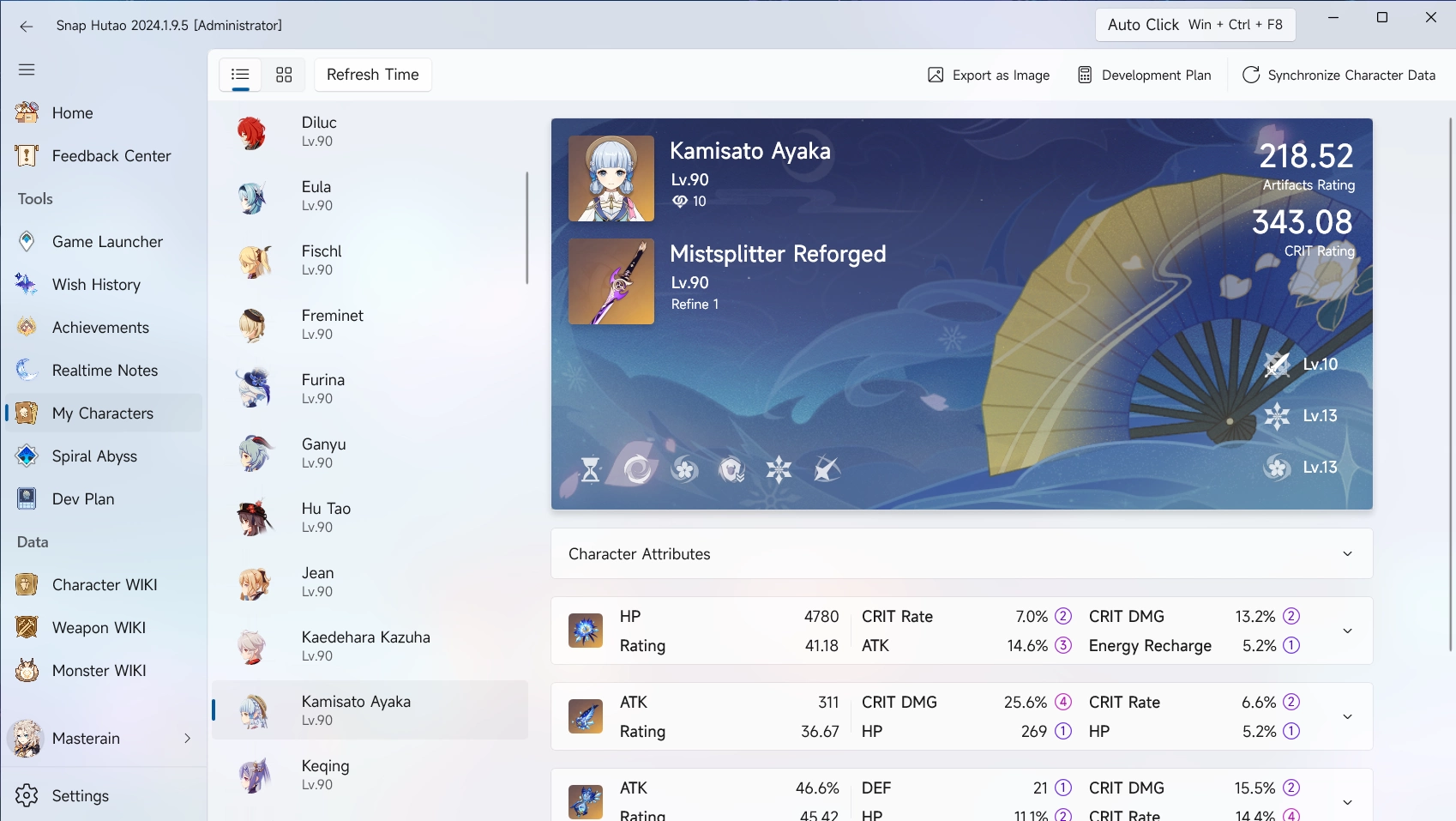
My characters is a character statistics feature that allows Snap Hutao to read character's statistics on the account, including level, constellation, weapon, talent and artifact set; we also provide artifacts rating and CRTI rating for each character.
Sync Character Data
Recommended usage:
- Use
Sync from MiHoYo BBS - Battle Chronicle - Use
Sync from MiHoYo BBS - Enhancement Progression Calculator - Edit the showcase in the game and then
Sync from Enka API
Sync from Enka API
::: info Synchronous Feature
- Enka API sync data from characters displayed in the in-game character showcase
- Data includes Artifacts detail data, weapon detail data, talent data
- Character costume
- This sync method only support 8 characters at a time
:::
- In the game, put characters that you need detailed data into the showcase
- The character showcase allows up to 8 characters at the same time
- You need to wait for data sync to complete after editing the showcase configuration
- You may need up to 5 minutes after enable the showcase or re-config the showcase
- Enter
My Characterspage in the Snap Hutao, ClickSync Character Databutton on the top-right - Select
Sync from Enka API
Sync from MiHoYo BBS - Battle Chronicle
::: info Synchronous Feature
- Data in this sync method comes from My Characters feature in MiHoYo official BSS
- This method does not contain any artifacts data
- This method can sync all characters data at a time
:::
- Enter
My Characterspage in the Snap Hutao, ClickSync Character Databutton on the top-right - Select
Sync from MiHoYo BBS My Characters
Sync from MiHoYo BBS - Enhancement Progression Calculator
::: info Synchronous Feature
- Data in this method comes from
Enhancement Progression Calculatorfeature in MiHoYo official BBS tool set- This sync method contains talent level data
- This sync method can sync all characters data at a time
:::
- Enter
My Characterspage in the Snap Hutao, ClickSync Character Databutton on the top-right - Select
Sync from MiHoYo BBS Developement Plan
Comparison of Synchronization Methods
| Comparison | In-game Showcase (Enka API) | Battle Chronicle | Enhancement Progression Calculator |
|---|---|---|---|
| Number of Characters | 8 | All | All |
| Character Level | ✅ | ✅ | ❌ |
| Character Constellation | ✅ | ✅ | ❌ |
| Character Friendship | ✅ | ✅ | ❌ |
| Weapon Level | ✅ | ✅ | ❌ |
| Weapon Refinement Rank | ✅ | ✅ | ❌ |
| Talents | ✅ | ❌ | ✅ |
| Costume | ✅ | ❌ | ❌ |
| artifact | ✅ | ✅ | ❌ |
| artifact details | ✅ | ❌ | ❌ |
Add Selected Character to Development Plan
- Enter
My Characterspage in the Snap Hutao, click on character you need to add to Enhancement Progression Calculator - Click on
Development Planand enter target level- Synchronized data of the character will be pre-filled into current level, and you can change the target level

- After adding successfully, you can find added Enhancement Progression Calculator in the
Dev Planpage in Snap Hutao
For tutorial of Dev Plan feature, please refer to Dev Plan document
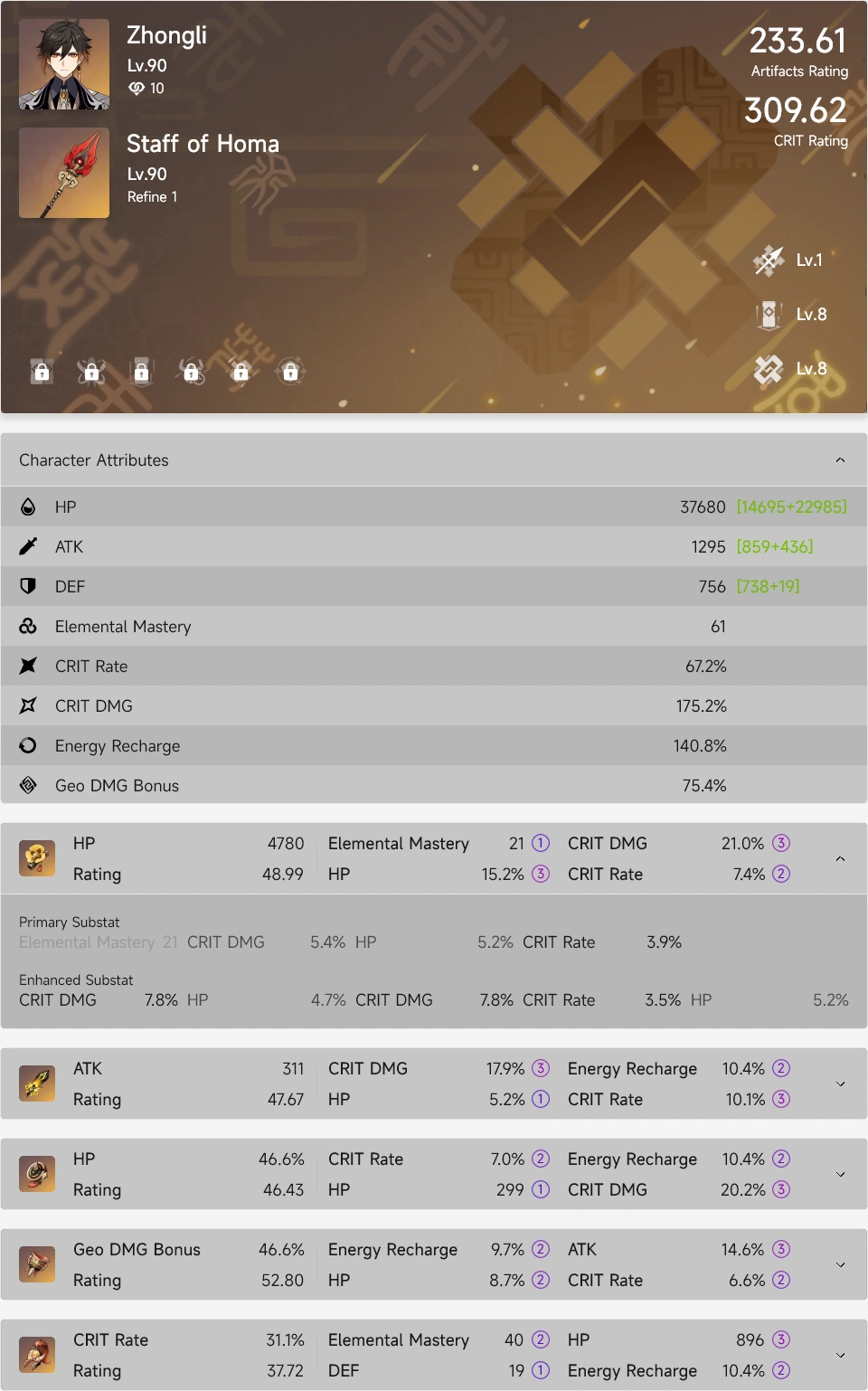
Export as Image
- In
My Characterspage, you can select a character and then clickExport as Imagebutton to create image with your character's data, this will help you to share your character's data - The exported image is stored in your clipboard, and you can paste it wherever you need
- A sample exported image is shown below