mirror of
https://jihulab.com/DGP-Studio/Snap.Hutao.Docs.git
synced 2025-11-19 21:16:31 +08:00

39 lines
1.5 KiB
Markdown
39 lines
1.5 KiB
Markdown
---
|
|
headerDepth: 0
|
|
category: [Feature, Tutorial]
|
|
tag: [develop plan, develop calculator]
|
|
order: 10
|
|
comment: false
|
|
---
|
|
|
|
# Development Plan
|
|
|
|
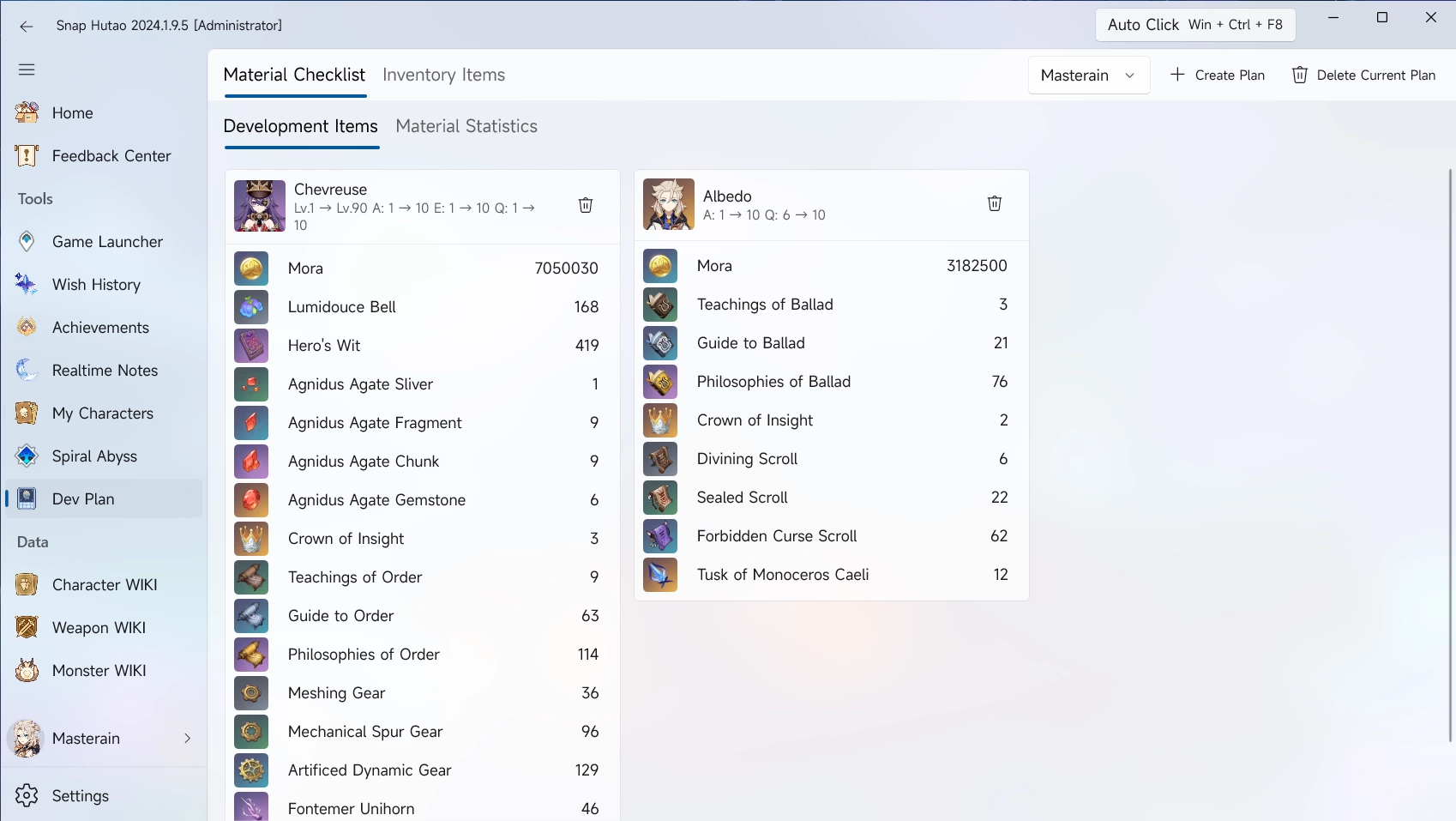
|
|
|
|
## Add Develop Goals into Material Checklist
|
|
|
|
### Add Goals from WIKIs
|
|
|
|
- Click `Character WIKI` or `Weapon WIKI` from the left menu bar
|
|
- Select on character or weapon to want to add
|
|
- Click `Add to Dev Plan` on the top right
|
|
- In the pop-up window, input the base level and target level
|
|
- By default, add goals from WIKIs will set base level as `1`
|
|
|
|
### Add Goals from My Characters Data
|
|
|
|
- Click `My Characters` from the left menu bar
|
|
- Select the character you want to add
|
|
- In the pop-up window, input the base level and target level
|
|
- By default, add goals from WIKIs will set base level as player's live data
|
|
- Refer to [My Characters](character-data.md#sync-character-data) document to get more guides
|
|
|
|
## Inventory Items
|
|
|
|
- In the left column of the Snap Hutao, click the `Dev Plan` feature.
|
|
- Click the `Inventory Item` in the function bar
|
|
- In the upper right part of the overall interface of the Snap Hutao, click the `Create New Plan` button.
|
|
- In the pop-up window of `Create a New Dev Plan`, fill in the name of the cultivation plan to be created.
|
|
- Here you can check "Bind the currently selected account character".
|
|
- The drop-down option box to the left of the "Create New Plan" button allows you to **switch between different Dev Plans** at will.
|