mirror of
https://jihulab.com/DGP-Studio/Snap.Hutao.Docs.git
synced 2025-11-19 21:16:31 +08:00

124 lines
5.7 KiB
Markdown
124 lines
5.7 KiB
Markdown
---
|
|
headerDepth: 2
|
|
category: [Feature, Tutorial]
|
|
tag: [Spiral Abyss, Spiral Abyss Database, Spiral Abyss Analytics]
|
|
order: 9
|
|
comment: false
|
|
---
|
|
|
|
# Hutao Database / Abyss Record
|
|
|
|
Snap Hutao offers two major statistic features associated with Spiral Abyss challenge
|
|
|
|
- `Statistics` on the top function bar is a feature designed to help players who are not familiar with Genshin Impact's battle system to build teams, pass the Abyss and obtain rewards by collecting and displaying challenge stats data from the Spiral Abyss from a large number of players.
|
|
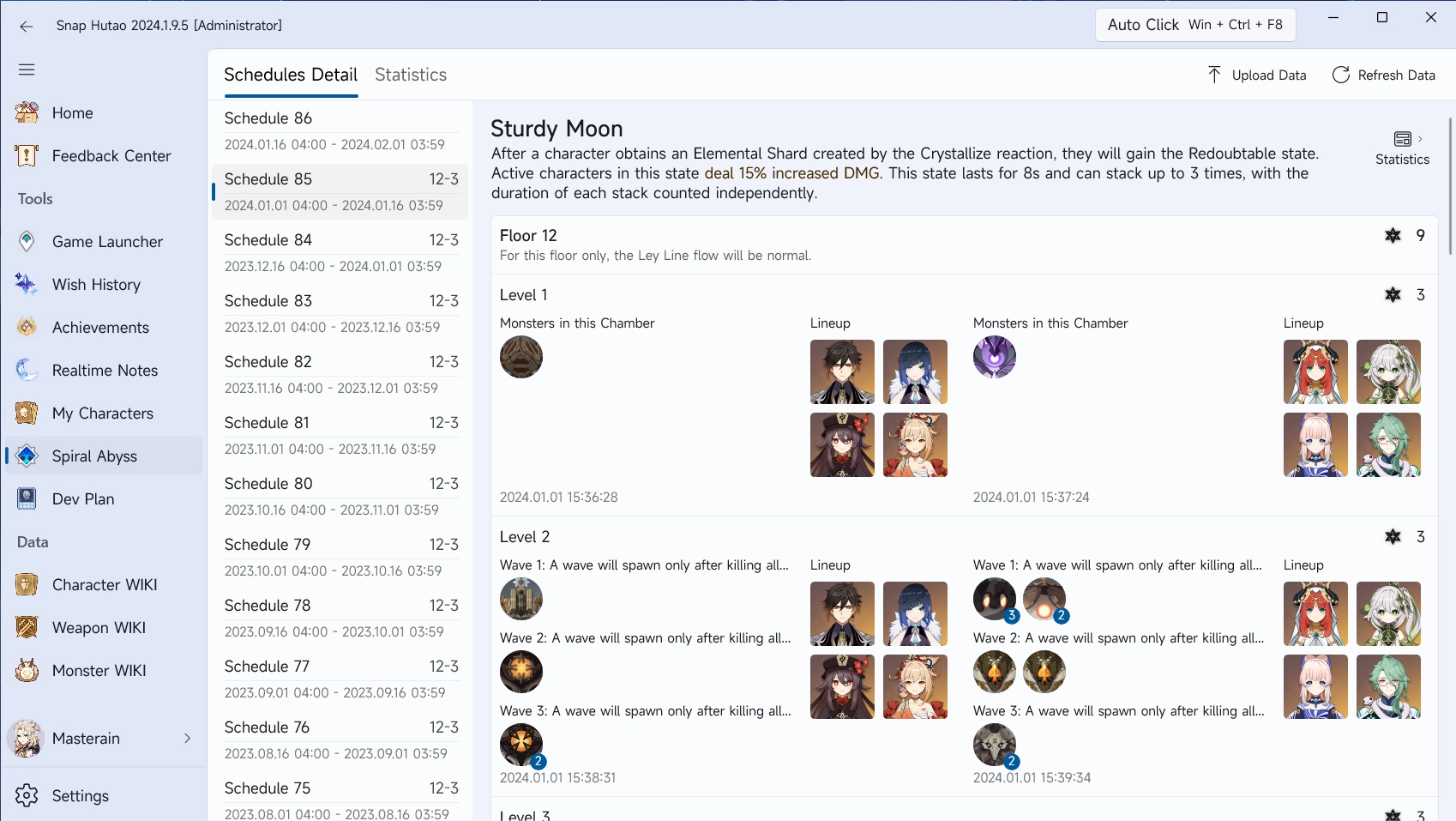
- `Schedules Details` on the sidebar is a statistical feature that helps individuals review their gaming experience and personal data collection by saving their challenge data from each period of the Spiral Abyss.
|
|
- Many players contribute to the Hutao Database's `Statistics` dataset by uploading their personal `Schedules Details`
|
|
|
|
::: tabs
|
|
|
|
@tab Schedules Detail
|
|
|
|
@tab Character Usage
|
|

|
|
@tab Character Appearance
|
|

|
|
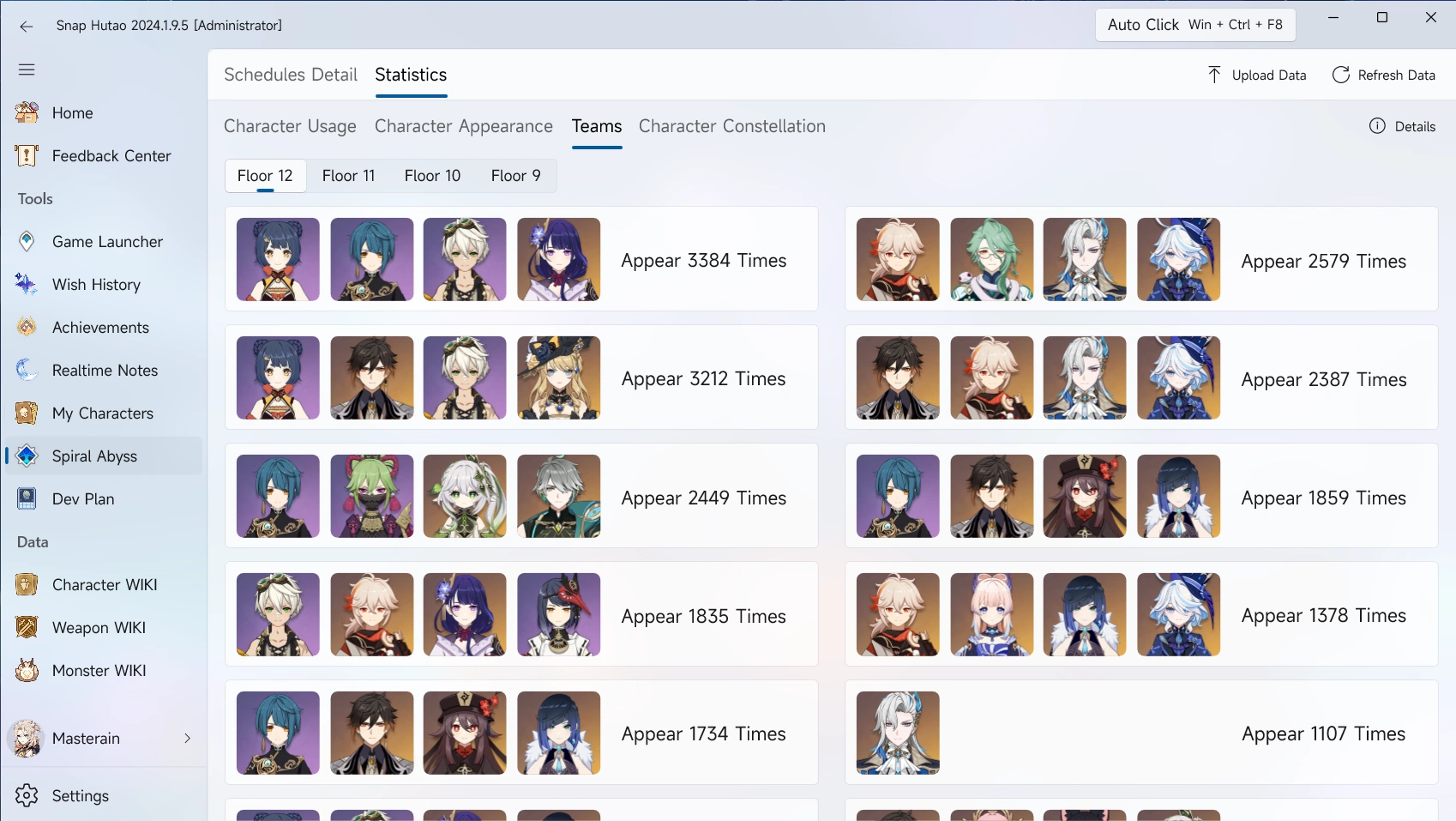
@tab Teams Appearance
|
|
|
|
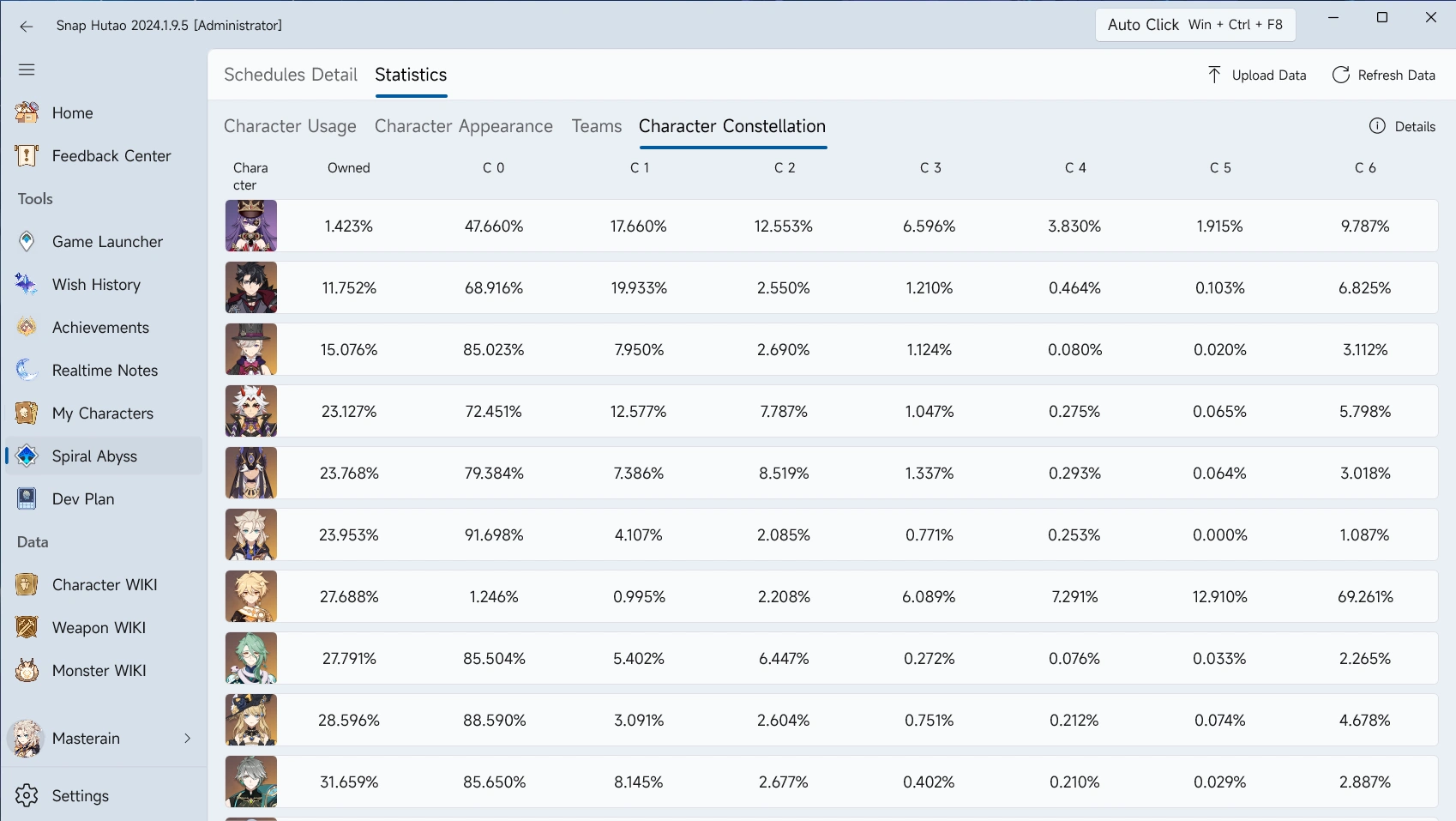
@tab Character Constellation
|
|
|
|
|
|
:::
|
|
|
|
## View Abyss Stats
|
|
|
|
::: warning Data Scope Limitation
|
|
All calculated data are based on the player data **uploaded to the Hutao Database** and cannot represent the average
|
|
data of **all** Genshin Impact players. The data is for reference only.
|
|
:::
|
|
|
|
::: info Stats Data Refresh Cycle
|
|
|
|
1. Abyss Stats (character usage, character appearance, teams appearance) wil be automatically reset on 1st and 16th day
|
|
of each month on the gaming server timezone of your account
|
|
- You can view real-time total uploaded data by clicking `Details` button in the `Abyss Stats` page
|
|
2. If user does not upload its record for 30 days, its character constellation data will be reset in the database
|
|
|
|
:::
|
|
|
|
- Enter Abyss Records page, and then click `Stastics` on the top function bar
|
|
- Click `Character Usage` tab to view character usage rate statistics
|
|
- Character Usage Rate = Character Appearance in this Floor [^first] / Number of Player who Own this Character
|
|
- Click `Character Appearance` tab to view character appearance rate statistics
|
|
- Character Appearance Rate = Character Appearance in this Floor [^first-2] / Total Number of Abyss Record of this Floor
|
|
- Click `Teams` tab to view teams appearance time statistics
|
|
- Team appearance is the appearance time rank of different characters team combination
|
|
- Click `Character Constellation` tab to view character constellation statistics [^second]
|
|
- Character Constellation [^third] = Number of Player who Own this Character / Total Number of Player
|
|
|
|
## Upload Abyss Data
|
|
|
|
### Use Snap Hutao Client
|
|
|
|
::: important Snap Hutao Cloud Bonus
|
|
If you have already logged into your Snap Hutao Account in your client, after successfully submitting data for the first time in the current schedule, you will receive Snap Hutao Cloud privileges as our thanks (even if the data has not cleared the 12th floor).
|
|
:::
|
|
|
|
- Enter Abyss Records page by clicking `Abyss Records` on the sidebar menu
|
|
- Click `Refresh Data` button to make suer Snap Hutao is storing your latest Spiral Abyss record
|
|
- Click `Upload Data` to upload your Spiral Abyss records
|
|
- This may take a few seconds, you will receive a submission success notification
|
|
|
|
### Use Browser
|
|
|
|
::: info
|
|
This method does not support HoYoLAB
|
|
:::
|
|
|
|
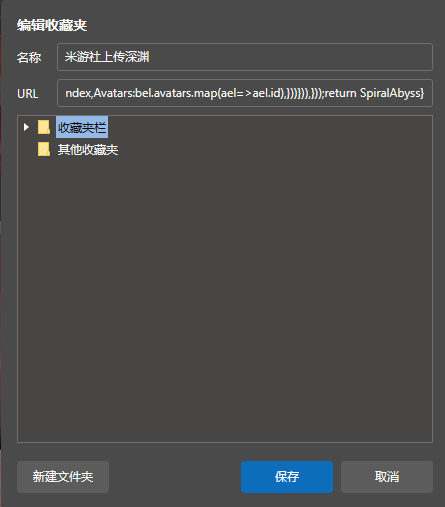
- Open our [JavaScript file](/upload-abyss-data.js), copy the entire content
|
|
- Create new bookmark in your browser
|
|
- Fill with a suitable name
|
|
- in the `URL` field, fill with script you just copied
|
|
|
|
- Visit MiYouShe, wait the page to be fully loaded, and then click the bookmark
|
|
- Wait for a moment, and you will see data upload request window
|
|
- After confirm it, the browser will upload your abyss record, do not turn off your browser
|
|
- You will receive a notification when your data is submitted
|
|
|
|
## Data Sharing
|
|
|
|
Snap Hutao is contributing data to Hutao Database with other developers. You can view our Abyss Stats, and upload your
|
|
Abyss data in multiple applications other than Snap Hutao.
|
|
Currently, Snap Hutao is sharing Abyss data with following applications:
|
|
|
|
<div class="vp-card-container">
|
|
|
|
```component VPCard
|
|
title: Miao-Plugin for Yunzai-Bot
|
|
desc: QQ robot Miao-Plugin
|
|
logo: /images/202312/miao-plugin-logo.webp
|
|
link: https://github.com/yoimiya-kokomi/miao-plugin/tree/master
|
|
```
|
|
|
|
```component VPCard
|
|
title: Pizza Helper for Genshin
|
|
desc: Genshin Impact tool on MacOS/iOS platforms
|
|
logo: /images/202312/genshin-pizza-helper-logo.webp
|
|
link: https://apps.apple.com/cn/app/%E6%8A%AB%E8%90%A8%E5%B0%8F%E5%8A%A9%E6%89%8B/id1635319193
|
|
```
|
|
|
|
```component VPCard
|
|
title: Ysin
|
|
desc: WeChat mini program Ysin
|
|
logo: /images/202312/ysin-logo.png
|
|
link: https://yuanshen.xin/
|
|
```
|
|
|
|
</div>
|
|
|
|
[^first]: When same character appearances in the same floor but different level, appearance time only count for 1
|
|
[^first-2]: When same character appearances in the same floor but different level, appearance time only count for 1
|
|
[^second]: Character constellation data is a separate data set from Spiral Abyss records database
|
|
[^third]:
|
|
Once owned this character, it's counted into database even it's not appearing in Spiral Abyss; Once upload your
|
|
Abyss stats, all collected characters will be included
|