mirror of
https://jihulab.com/DGP-Studio/Snap.Hutao.Docs.git
synced 2025-11-19 21:16:31 +08:00

2.0 KiB
2.0 KiB
headerDepth, category, tag, order, comment, description
| headerDepth | category | tag | order | comment | description | |||||
|---|---|---|---|---|---|---|---|---|---|---|
| 2 |
|
|
10 | false | The "Development Plan" feature in Snap Hutao assists players in quickly creating cultivation checklists for characters and weapons, allowing them to easily track the obtainable targets they own and plan to cultivate. |
Development Plan
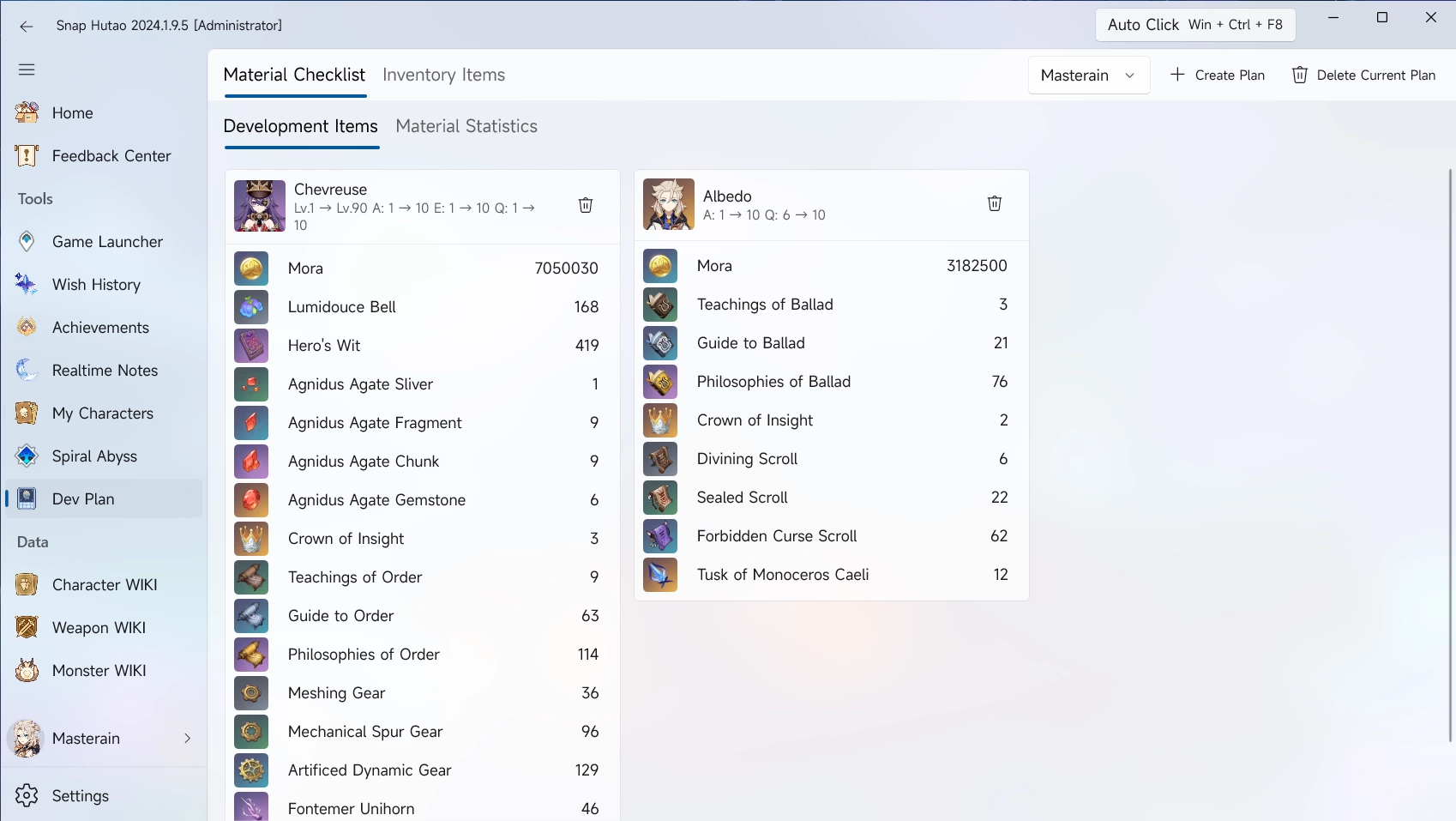
Development Plan is a feature equivalent to Enhancement Progression Calculator in HoYoLAB, due to limited designing space, we often call it
Dev Planin Snap Hutao
Add Develop Goals into Material Checklist
Add Goals from WIKIs
- Click
Character WIKIorWeapon WIKIfrom the left menu bar - Select on character or weapon to want to add
- Click
Add to Dev Planon the top right - In the pop-up window, input the base level and target level
- By default, add goals from WIKIs will set base level as
1
- By default, add goals from WIKIs will set base level as
Add Goals from My Characters Data
- Click
My Charactersfrom the left menu bar - Select the character you want to add
- In the pop-up window, input the base level and target level
- By default, add goals from WIKIs will set base level as player's live data
- Refer to My Characters document to get more guides
Inventory Items
- In the left column of the Snap Hutao, click the
Dev Planfeature. - Click the
Inventory Itemin the function bar - In the upper right part of the overall interface of the Snap Hutao, click the
Create New Planbutton. - In the pop-up window of
Create a New Dev Plan, fill in the name of the cultivation plan to be created.- Here you can check "Bind the currently selected account character".
- The drop-down option box to the left of the "Create New Plan" button allows you to switch between different Dev Plans at will.