mirror of
https://jihulab.com/DGP-Studio/Snap.Hutao.Docs.git
synced 2025-11-19 21:16:31 +08:00

2.0 KiB
2.0 KiB
headerDepth, category, tag, order, comment, description
| headerDepth | category | tag | order | comment | description | |||
|---|---|---|---|---|---|---|---|---|
| 2 |
|
|
6 | false | Snap Hutao provides the functionality to manage Genshin Impact achievements. With it, you can browse and manage the status of all achievements. Using its powerful filtering system, you can easily search for specific achievements based on version number, achievement name, achievement description, and region affiliation. |
Achievement Management
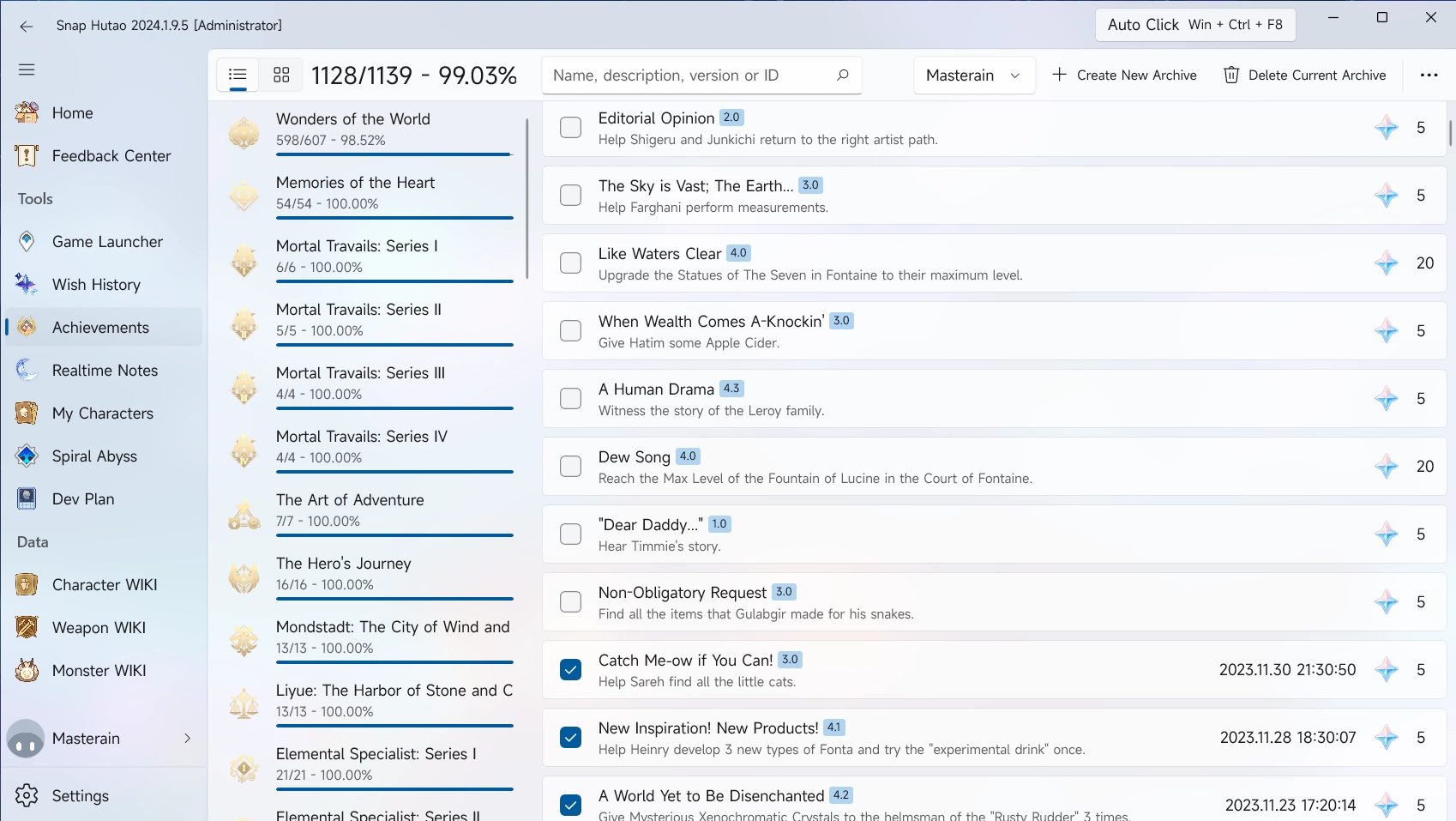
Snap Hutao offers local achievement management feature, users can view and manage status of achievement
At first time use, you will follow the instruction to create an archive and name it. After that, you are still able to make new archives by click on Create New Archive for other game accounts
Achievement Import
- Snap Hutao is using Uniformed Interchangeable Achievement Format Standar to store user's achievement data
- This standard allows user to transmit achievement data between Snap Hutao wiht other achievement tools, such as Achievement exporter
- You can click on
Importat top right menu on Achievement Management page, and select file import to load UIAF formatted data
Achievement Export
You can click on the Export button in the hidden menu in the top right corner of the achievement page. In the pop-up window, select the directory and set the file name, then your data will be exported.
Delete Archive
You can delete the current achievement archive by finding and clicking on Delete Current Archive in the hidden menu in the top right corner.