import{_ as e}from"./plugin-vue_export-helper-x3n3nnut.js";import{o as a,c as t,e as i}from"./app-CvMgaNbU.js";const o={},n=i(' Home Dashboard
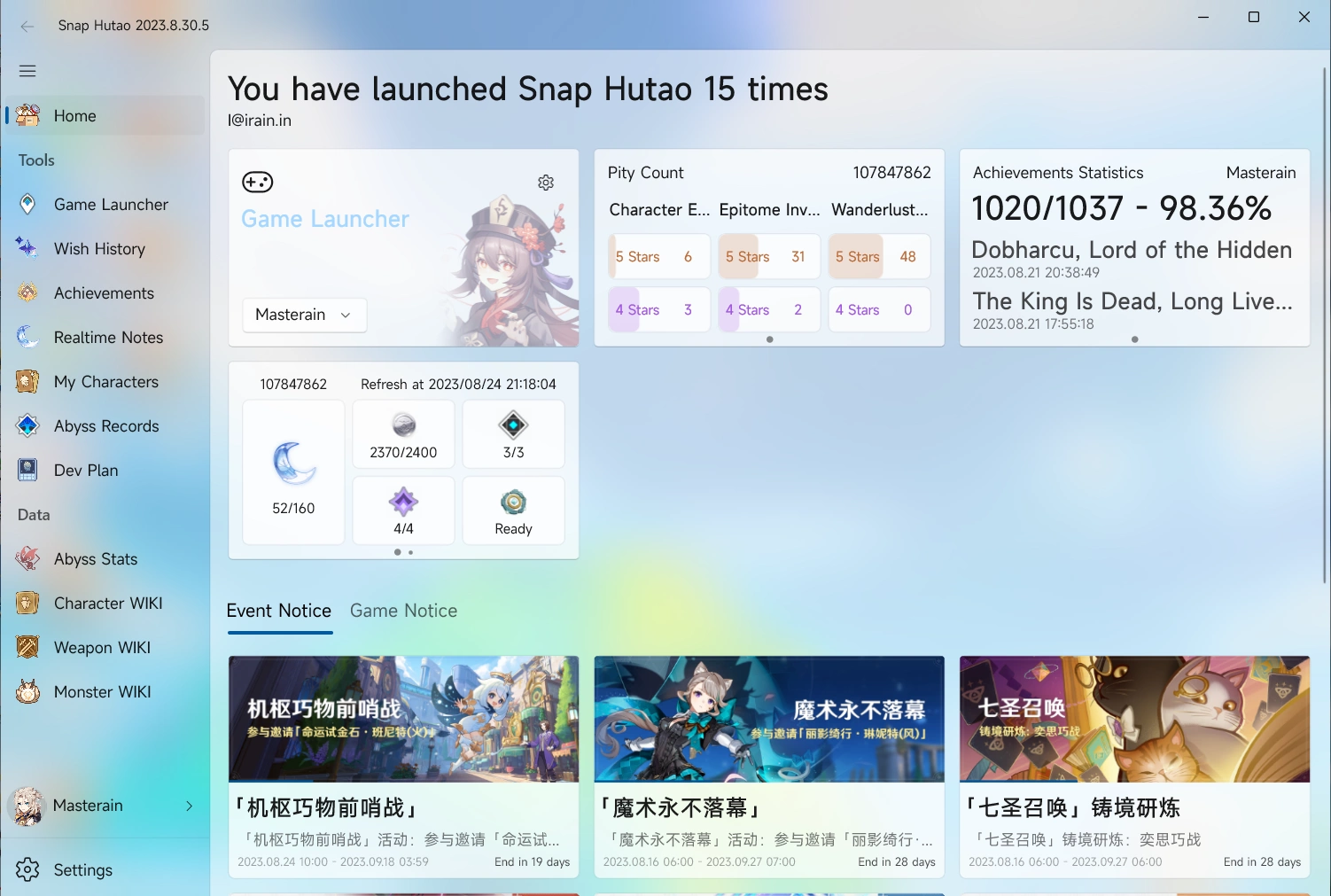
Snap Hutao will enter home dashboard by default when it's opened. The top part is your personal gaming data; the bottom part is recent game notice and event countdown in days and hours.
Gaming data dashboard includes:
- Snap Hutao Announcement
- If Snap Hutao dev team publish a new announcement, it will be shown on the dashboard, it can be manually closed
- Snap Hutao Account
- If you have a signed in Snap Hutao account, the email address will be shown on the top; If not signed in, there will be a register/login hint
- Game launcher
- You can select your account and start the game from dashboard
- Wish history
- Game UID and progress bar styled pity count will be display in the dashboard
- If you have multiple wish history archives, you can use arrow button on left and right side of chart to switch archive
- Achievement statistics
- Achievement statistics charts includes gained achievements count, percentage, and the latest gained achievements
- If you have multiple achievement archives, you can use arrow button on left and right side of chart to switch archive
- Real-time Notes
- Real-time notes data will be displayed on home dashboard
- If you have multiple activated real-time notes account, you can use arrow button on left and right side of chart to switch account
',5),l=[n];function s(r,h){return a(),t("div",null,l)}const u=e(o,[["render",s],["__file","dashboard.html.vue"]]);export{u as default};