import{_ as o}from"./plugin-vue_export-helper-x3n3nnut.js";import{r as n,o as r,c as d,a as e,b as a,d as i,w as c,e as t}from"./app-DLdAQsjV.js";const s={},h=t(' Development Plan
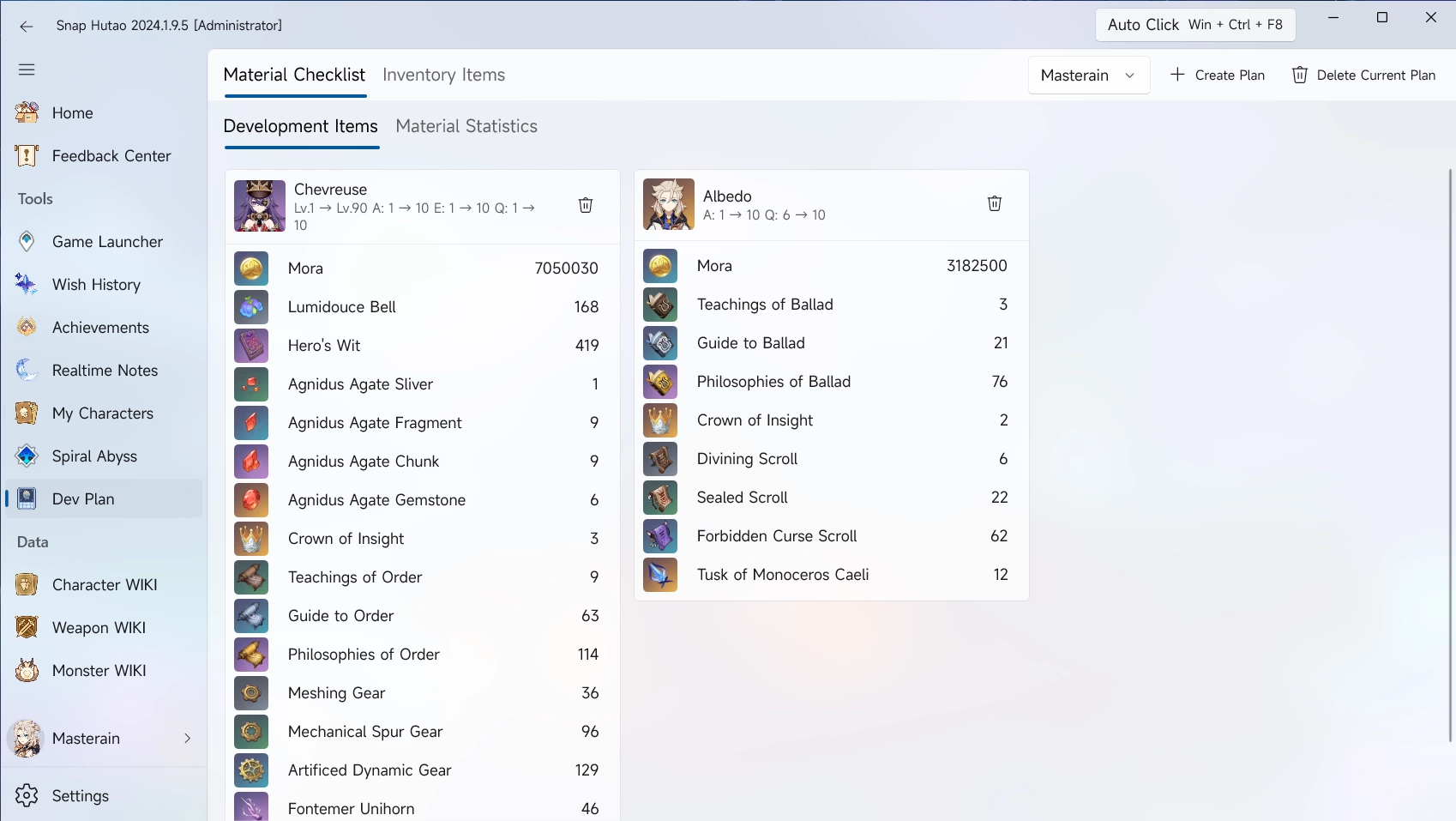
Add Develop Goals into Material Checklist
Add Goals from WIKIs
- Click
Character WIKI or Weapon WIKI from the left menu bar - Select on character or weapon to want to add
- Click
Add to Dev Plan on the top right - In the pop-up window, input the base level and target level
- By default, add goals from WIKIs will set base level as
1
Add Goals from My Characters Data
',6),u=e("li",null,[a("Click "),e("code",null,"My Characters"),a(" from the left menu bar")],-1),p=e("li",null,"Select the character you want to add",-1),f=e("li",null,"By default, add goals from WIKIs will set base level as player's live data",-1),m=t(' Inventory Items
- In the left column of the Snap Hutao, click the
Dev Plan feature. - Click the
Inventory Item in the function bar - In the upper right part of the overall interface of the Snap Hutao, click the
Create New Plan button. - In the pop-up window of
Create a New Dev Plan, fill in the name of the cultivation plan to be created. - Here you can check "Bind the currently selected account character".
- The drop-down option box to the left of the "Create New Plan" button allows you to switch between different Dev Plans at will.
',2);function v(_,w){const l=n("RouterLink");return r(),d("div",null,[h,e("ul",null,[u,p,e("li",null,[a("In the pop-up window, input the base level and target level "),e("ul",null,[f,e("li",null,[a("Refer to "),i(l,{to:"/en/features/character-data.html#sync-character-data"},{default:c(()=>[a("My Characters")]),_:1}),a(" document to get more guides")])])])]),m])}const I=o(s,[["render",v],["__file","develop-plan.html.vue"]]);export{I as default};