
Real-time Notes
FeatureTutorialAbout 1 min
Real-time Notes
Info
This features requires you to login in to your MiYouShe or HoYoLab account in Snap Hutao, you can check 米游社多帐号切换 for more information.
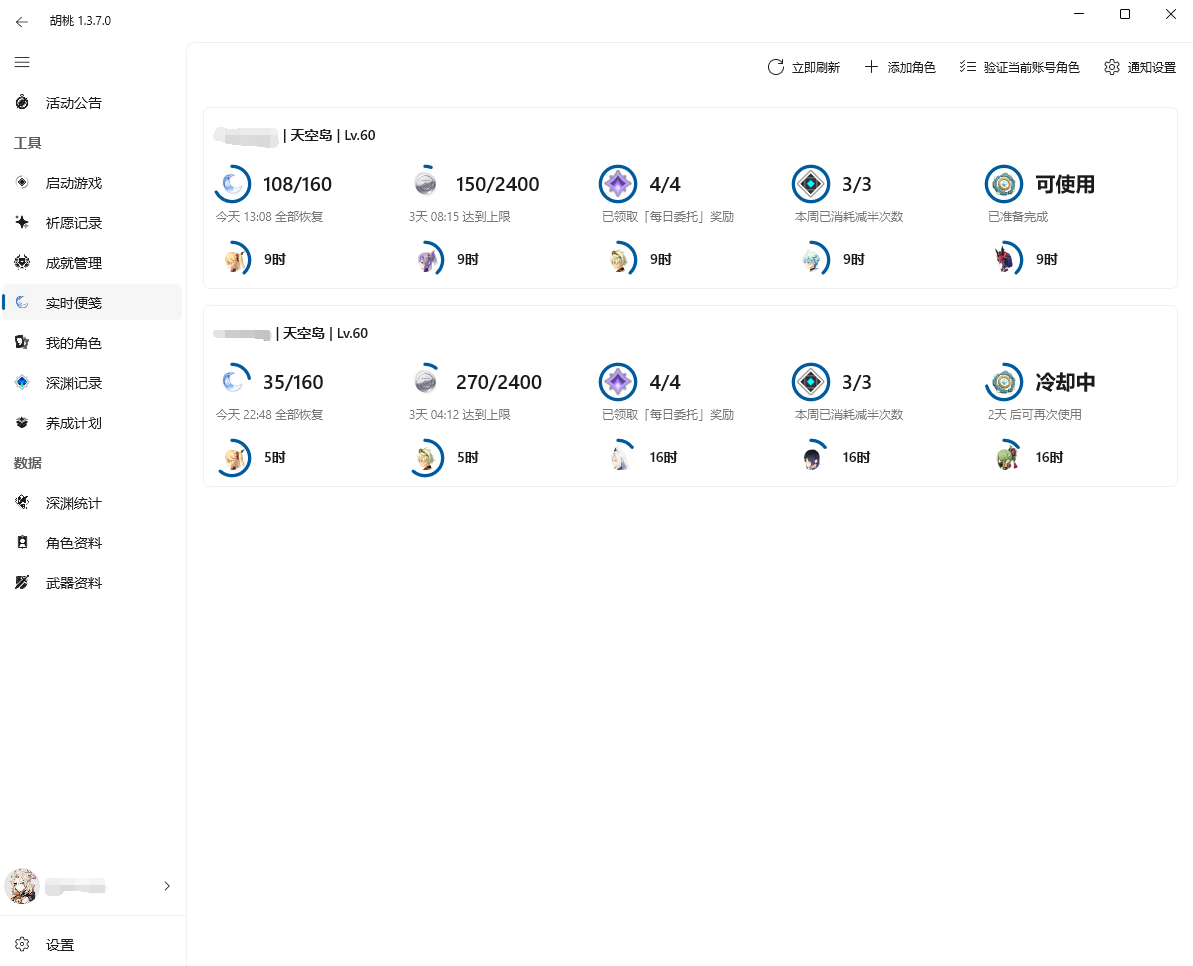
Add Role
- Click on
Add Rolebutton - In the pop-up menu, find the UID you want to add, and click on the add button to its right
- Now, the game UID character's Real-time Notes should be displayed in the page
- The Real-time Notes is set to refresh timely
- You can click on the
Notification Settingson the top right to manage it - If you want to see the data at this moment, you can click
Refreshbutton to refresh data immediately
- You can click on the
- If you receive any warning similar to
Verification failed, it may be caused by too many account added, and you can try to fix it youself by refreshing account cookie
- The Real-time Notes is set to refresh timely
Global Notification Settings
- In the
Notification Settingson the top right, you can change the global settings of Real-time Notes, including:- Refresh rate
- Do not disturb setting
- Prioritized notification
- This prevent Snap Hutao's notification being closed automatically
Independent Settings for Accounts
- Snap Hutao allows different settings on each Real-time Notes account
- Hover the cursor over the form of Real-time Notes account that needs to set
- Click on the setting button on it, and you can modify these settings:
- Original Resin threshold value
- Realm Currency threshold value
- Parametric Transformer notification
- Daily Commission notification
- Expeditions notification
- Display in the main page (feature coming soon)
- Click on
Saveand you can save the settings
Delete Daily-Notes Account
- Hover the cursor over the form of Real-time Notes account that needs to delete
- Clock on the remove button on it, and you can remove the corresponding account
Powered by Waline v2.14.9